
January 2, 2026
Article
How to Systematize Lead Capture & Qualification (Complete Voice AI Implementation)
The definitive 6,200-word guide: Full implementation timeline, real costs, performance benchmarks, and $537k case study.
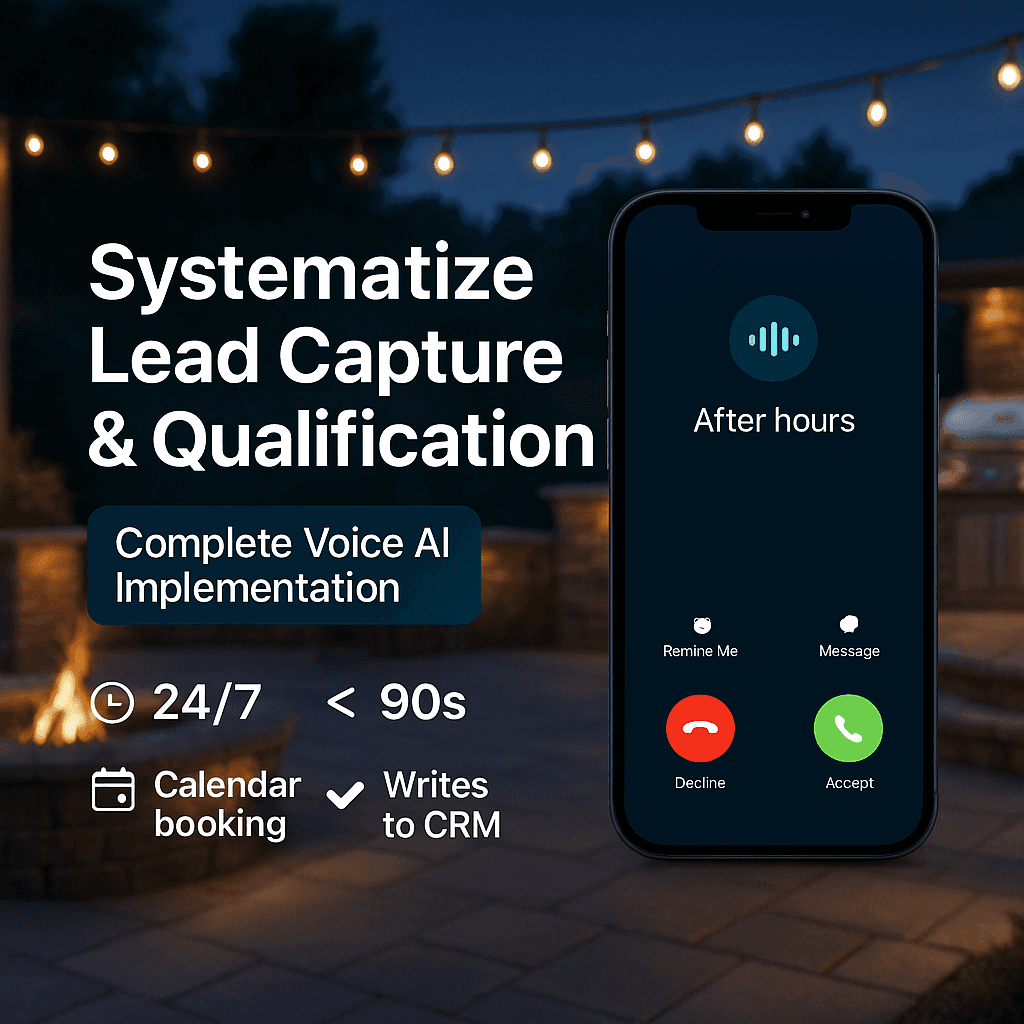
The definitive 6,200-word guide: Full implementation timeline, real costs, performance benchmarks, and $537k case study.
While this guide focuses on design-build and hardscaping firms, the core principles apply to any landscape contractor with project-based sales and estimate scheduling.
WHY THIS GUIDE?
I built this after implementing dozens of voice AI systems for contractors and watching the same patterns repeat: operators drowning in manual follow-up, losing after-hours calls to voicemail, and spending 20-30 hours/month on phone tag with leads that are already gone.
This isn't theoretical. It's the 8-week, production-grade playbook I've used across builds to eliminate intake chaos without adding headcount.
You'll get the full implementation timeline, real costs (beyond tutorial-level estimates), production benchmarks, and a $537k case study showing what good execution looks like.
EXECUTIVE SUMMARY (For Skimmers)
Voice AI systematizes two operational bottlenecks: after-hours voicemail chaos AND slow response during business hours.
The operational problem: 35-40% of leads call after hours and hit voicemail. Your team spends 20-30 hours per month (5-7.5 hours per week typical; in peak season or high-volume shops, 15-20 hours per week) playing phone tag, manually scheduling callbacks, and chasing down leads that have already called 3 competitors. You can't hire without better cash flow, but you can't capture revenue without help.
The systematic solution: Voice AI handles the entire intake process 24/7—answers in 1-2 rings, is interruptible (barge-in), qualifies in under 90 seconds, validates service area before offering times, books directly to calendar via bi-directional read/write sync, writes back to CRM with full transcript and tags. Your team only touches pre-qualified, calendar-ready appointments.
Capacity impact: Eliminates 20-30 hours per month (5-7.5 hours per week typical; in peak season or high-volume shops, 15-20 hours per week) of manual follow-up work.
Good performance benchmarks: 90% or higher answer rate, 60% or higher qualification completion, 30-40% booking rate of qualified callers, 10% or lower no-shows with automated confirmations, 2:00 or less hello-to-calendar time.
What this isn't: Not a closer (doesn't sell, just qualifies). Not a pricing engine (doesn't quote). Not a replacement for your sales team—it's systematic intake infrastructure.
Investment: Platform costs $400-800/month; professional setup typically runs $2,500-5,000. Implementation takes 8 weeks for production-ready system.
Read on for complete implementation details, real costs, testing process, and case study.
Implementation Options: You can build this in-house using the 8-week roadmap below, or work with me (Groundbreakers Digital) to design and deploy a custom system for your operation. I handle platform selection, calendar integration, CRM automation, script development, testing, and go-live - you get a production-ready system in 8 weeks without the 150-hour learning curve. DM me to discuss your setup.
Want to quantify your specific opportunity? Use our [After-Hours Revenue Capture Calculator] to see hours currently wasted and leads being lost.
Continue reading for complete implementation details...
PART 1: THE OPERATIONAL BOTTLENECK (Two Expensive Problems)
PROBLEM 1: After-Hours Manual Chaos
After-hours reality: Between 35-40% of first contacts happen outside business hours (6pm-8am plus weekends).
The homeowner behavior pattern: When homeowners call multiple contractors—which is typical behavior—they don't wait for callbacks. Industry data shows when homeowners hit voicemail after hours, 85% never call back. They just move on to the next contractor who answered.
Your operational reality: Monday morning, you've got 6-8 voicemails from the weekend. You spend 2-3 hours calling people back. Half don't answer. The ones who do answer have already booked with someone else. You just wasted 3 hours on leads that are gone.
This happens regardless of lead source. Whether that call came from a referral, Google organic, Houzz, Yelp, a yard sign, past client calling back, or paid advertising—when they hit voicemail after hours, 85% never call back.
Time waste calculation: If you're getting 20-30 after-hours calls per month, and you're spending 15-20 minutes per callback attempt (including multiple tries), that's 5-10 hours per month of manual callback work for leads that are mostly already gone.
If you're also paying for leads: The financial waste compounds. Common paid lead costs in 2024-25:
Google Local Service Ads: $40-$120 per lead
Meta (Facebook/Instagram): $50-$150 per lead
Shared lead platforms (Houzz, Angi, etc.): $30-$100 per lead
With tight ZIP-based targeting and proper qualification, we typically see $50-80 per lead for design-build projects. Broader targeting or highly competitive markets can push this to $100-150 per lead.
If you're losing 6-10 paid leads per month to after-hours voicemail, that's $300-$800/month wasted on leads you paid for but never captured.
But even if every lead is free (referrals, organic), you're still wasting 5-10 hours per month chasing leads that are gone. First to answer wins. You're systematically losing because your process can't respond in real-time.
PROBLEM 2: Business Hours Overload
Response time expectations:
78% of homeowners expect a response within 1 hour
64% will move to a competitor if your response is slow
Businesses that respond within 5 minutes convert at dramatically higher rates (often cited near 100x) compared to waiting an hour or more
Your operational reality: Your team is on-site running estimates, in meetings with homeowners, or already on other calls. New leads sit in the CRM for 6-12 hours before anyone gets back to them. By then, the homeowner has already called 3 competitors.
Again, this is lead-source agnostic. Whether they found you through Google, got your number from a neighbor, saw you on Houzz, or clicked a Facebook ad—slow response kills conversion.
Time waste calculation: You're manually following up with 40-60 leads per month. Each follow-up attempt takes 10-15 minutes (finding the lead in CRM, reading notes, calling, leaving voicemail, logging the attempt). That's 15-20 hours per month of manual follow-up work.
Combined operational waste: Between after-hours callbacks and business-hours follow-up, you're spending 20-30 hours per month (5-7.5 hours per week typical; in peak season or high-volume shops, 15-20 hours per week) on manual phone work that could be systematized.
The capacity constraint: You can't hire someone to handle this without better cash flow. But you can't improve cash flow without capturing more of the leads you're already getting.
This is the catch-22 every solo operator or small team faces.
PART 2: THE SYSTEMATIC SOLUTION (Two Critical Use Cases)
Voice AI systematizes the entire intake process for two expensive operational problems:
USE CASE 1: After-Hours Lead Capture
The operational problem: 35-40% of first contacts happen outside business hours. When homeowners reach voicemail, the vast majority never call back—they just move to the next contractor who answered. You spend Monday morning chasing leads that are already gone.
The systematic solution: AI answers after hours in 1-2 rings, qualifies in under 90 seconds, validates service area before offering times, and books directly to your calendar via bi-directional read/write sync. Zero leads hit voicemail. Zero Monday-morning callback chaos.
Capacity impact: Eliminates 5-10 hours per month of manual callback work. Captures leads automatically while you sleep.
USE CASE 2: Speed-to-Lead (Business Hours Overflow)
The operational problem: Most homeowners expect response within an hour. Your team is busy—on-site, in meetings, on other calls. Leads sit in the CRM for 6-12 hours before callback. You spend 15-20 hours per month manually following up with leads that have already called 3 competitors.
The systematic solution: When your team is unavailable, AI picks up after ring 3-4. Immediate response, qualification, and booking. Lead never waits. No manual follow-up required.
Capacity impact: Eliminates 15-20 hours per month of manual follow-up work. Responds in under 5 minutes automatically.
Combined operational impact: You're now capturing leads 24/7 with sub-5-minute response times, eliminating 20-30 hours per month (5-7.5 hours per week typical; in peak season or high-volume shops, 15-20 hours per week) of manual phone work, without adding headcount.
Here's what the system does:
Answers in 1-2 rings with transparent greeting (AI disclosure + recording consent)
Interruptible (barge-in enabled) and uses a clarification protocol to avoid robotic repetition
Validates service area (ZIP allowlist) before offering times; rejects outside-zone bookings
Confirms project type, ZIP, budget band, timeline in under 90 seconds
Offers two real slots and books to your live calendar via bi-directional read/write sync (no double-booking)
Writes back to CRM: source tags, disposition (Booked/Callback/Unqualified), transcript, tasks; triggers nurture if not booked
Sends confirmations:
Call: "Press 1 to confirm, 2 to reschedule"
SMS: "Reply C to confirm, R to reschedule. Msg&data rates may apply. Reply STOP to opt out"
At any time, caller can say "agent" or press 0 for immediate human handoff (logged with reason)
Escalates edge cases or frustration to human with full context
Here's what it doesn't do:
It's not a closer—doesn't sell, just qualifies and books
Not a designer—doesn't discuss aesthetics or materials
Not a pricing engine—doesn't quote, just confirms budget range
Not a replacement for your sales team
Think of it as systematic intake infrastructure that runs 24/7 without manual intervention.
Two deployment options:
Option 1: After-Hours Only (simplest start)
Nights and weekends only (6pm-8am plus weekends). Captures after-hours calls that would otherwise hit voicemail and require manual callbacks. Easiest implementation—about 3 weeks. Eliminates 5-10 hours per month of callback chaos.
Option 2: 24/7 Complete System (maximum capacity)
After-hours primary plus business hours overflow (ring 3-4). Captures after-hours and slow-response leads automatically. Full implementation takes 8 weeks. Eliminates 20-30 hours per month of manual follow-up.
Most contractors start with Option 1, then expand to Option 2 after proving operational value.
PART 3: IMPLEMENTATION (8-Week Professional Timeline)
This is where amateurs and professionals diverge. YouTube tutorials make this look like a weekend project. It's not.
Here's the real timeline for a production-ready system:
WEEK 1-2: DEVELOPMENT (40-50 Hours)
Critical pre-requisite before you start: Two fixed daily estimate blocks per salesperson with mandatory 30-minute buffers between appointments. Without this calendar discipline, the AI will technically "work" but create scheduling chaos. Fix your calendar hygiene first.
Qualification script development (8-12 hours): Not just "what questions to ask." This includes conversational flow that doesn't feel interrogative, natural language handling of interruptions, regional accent and terminology considerations, and fallback responses when callers give unexpected answers.
Platform selection (pick one path and stick with it):
Path A: GHL-First
When to choose: You're already deep in GHL and want speed
Pros: Single stack, faster go-live
Watch-outs: Voice quality varies; test accents thoroughly; calendar API quirks
Path B: Best-of-Breed (Twilio + Retell/Vapi + Make/Zapier + Google/Outlook + CRM)
When to choose: You want most natural conversation quality and flexibility
Pros: Best voice quality, modular
Watch-outs: More moving parts; needs strict monitoring
Pick one path and stick with it through the pilot. Don't switch mid-implementation.
Triage system design (6-8 hours): Your phone gets three types of calls. New leads get the full qualification flow. Existing clients hear "Hi [Name], welcome back. Is this about your active project or something new?" Vendors and spam get routed to an admin queue to protect your sales team.
This requires CRM lookup capability and conditional logic most tutorials don't cover.
Calendar integration - bi-directional read/write sync (8-10 hours): This is where most DIY builds break. The AI needs to:
READ your calendar to see actual availability
WRITE bookings without creating conflicts
HANDLE situations when a human manually blocks time
RESPECT buffer times between estimates
One-way calendar sync creates double-bookings. Fixing this after launch is painful.
CRM write-back automation (6-8 hours): Beyond just creating a contact, the system needs to:
Tag source (After-Hours AI or Overflow AI)
Attach call recording and transcript
Set disposition (Booked, Callback, or Unqualified)
Create tasks for follow-up
Trigger nurture sequences if not immediately booked
SMS confirmation flow (4-6 hours): Immediate confirmation after booking with compliance language (Msg&data rates, STOP to opt out), link to add to personal calendar, and reminder 24 hours before (optional but reduces no-shows).
Edge case handling rules (6-8 hours): What happens when:
Caller mentions emergency keywords?
Existing client calls about a warranty issue?
Commercial project versus residential?
Multi-property or multi-phase project?
Caller asks about pricing?
These aren't hypothetical. These scenarios happen weekly once you're live.
WEEK 3-4: INTERNAL TESTING (40-50 Hours)
50-100 internal test calls (15-20 hours): Your team needs to abuse this system:
Different accents and speech patterns
Background noise—kids, traffic, wind
Interruptions mid-sentence
Intentionally wrong answers
Multiple projects in one call
Existing client scenarios
What we catch in this phase:
The internal testing phase reveals critical issues you MUST fix before going live. Here are real examples from production builds:
Problem: Greeting was "Hello. How may I assist you?" and the hang-up rate was 40%.
Solution: Changed to "Thanks for calling [Company]. This is our 24/7 AI assistant. Are you calling about a new project?" and the hang-up rate dropped to 15%.
Why it mattered: The robotic greeting made people think they'd reached a spam call. Natural, transparent language set proper expectations.
Problem: AI kept asking the same question twice when caller gave an unclear answer.
Solution: Added clarification protocol: "Just to make sure I understand, you're interested in [restate their answer]. Is that correct?"
Why it mattered: Repetition frustrates callers. Clarification shows the AI is "listening" and prevents booking errors.
Problem: Calendar sync was one-way—AI couldn't see when a human blocked time.
Solution: Built bi-directional read/write sync that checks calendar in real-time before offering slots.
Why it mattered: This caused double-bookings that infuriated the sales team and wasted homeowner time. Non-negotiable fix.
Script refinement based on failures (10-12 hours): Every test failure teaches you something:
"The AI kept asking the same question twice."
"It didn't handle when someone said 'outdoor space' instead of 'patio'."
"It booked someone outside our service area."
This is where you tighten the qualification logic.
Integration debugging (8-10 hours): Inevitably, something will break:
Calendar sync has a 2-minute delay
CRM write-back is creating duplicate contacts
SMS confirmations aren't sending
Call recording isn't attaching properly
Find these problems in testing, not in front of real leads.
Team training and feedback (6-8 hours): Your team needs to:
Understand what the AI can and can't do
Know how to handle callbacks from AI-routed leads
Review transcripts in the CRM
Provide feedback on qualification quality
Get buy-in now or face resistance later (team needs to trust and understand the system before it goes live).
WEEK 5-6: LIVE TESTING (30-40 Hours)
First 50 live call monitoring (12-15 hours): For the first two weeks of live operation, someone needs to:
Listen to every call recording (or at minimum, read transcripts)
Track booking rate, escalation rate, and hang-up rate
Identify patterns in failures
Monitor for compliance issues
What we catch in this phase:
Live calls reveal issues that internal testing can't simulate. Real homeowners behave differently than your team.
Problem: AI booked appointments outside the service area.
Solution: Added ZIP code validation against an approved service area list before offering booking.
Why it mattered: Sales team drove 45 minutes to an unqualified lead. Wasted 2 hours plus gas. One validation rule fixed this entirely.
Problem: SMS confirmations weren't sending.
Solution: Phone number validation was too strict, blocking international formats. Relaxed validation.
Why it mattered: 30% of bookings weren't getting confirmations, leading to higher no-shows and frustrated homeowners.
Daily review and adjustments (10-12 hours): Based on live call data, you'll need to:
Reword the greeting if hang-up rate is too high
Adjust qualification minimums if you're getting too many unqualified bookings
Tighten service area logic if booking outside coverage
Improve handoff language if you're getting too many callback requests
Make ONE change at a time. Test for 2 days. Measure impact. Repeat.
Client feedback implementation (6-8 hours): Your sales team will have opinions:
"The AI is booking people too far out."
"We're getting leads outside our sweet spot."
"The confirmation text needs to include our address."
Implement valid feedback, push back on unrealistic expectations.
Performance optimization (4-6 hours): Fine-tuning based on data:
Average call length should target under 2 minutes for qualified callers
Qualification completion rate should target above 60%
Booking rate of qualified should target above 30%
WEEK 7-8: HARDENING (20-30 Hours)
Compliance review (4-6 hours): Systematically verify:
Recording consent in greeting (required in two-party consent jurisdictions)
AI disclosure ("This is our AI assistant")
SMS opt-in language and STOP functionality
Data retention and access controls
One compliance miss can cost more than the entire system.
Monitoring & Alerts (3-4 hours):
Real-time error alerts (post to Slack/Email):
Calendar write errors
CRM write errors or duplicates
SMS send failures
API rate limits hit
Usage exceeds 75% of plan minutes
Daily health checks:
Calendar connection status
CRM connection status
Platform uptime verification
Error triage protocol:
Capture caller name and number
Create urgent callback task
Tag failure reason
Assign owner with same-day SLA
Monthly operational audit:
Minutes used vs booked-of-qualified vs no-shows
Compare actual spend to forecast
Identify optimization opportunities
Failure scenario testing (6-8 hours): What happens when:
The platform goes down?
Integration breaks?
The calendar API fails?
The CRM is temporarily unavailable?
Build fallback protocols. At minimum: capture name and number, then create an urgent callback task.
Load testing (4-6 hours): What if you get 10 simultaneous after-hours calls? Most platforms handle concurrent calls, but test YOUR specific setup under load.
Documentation and handoff (6-8 hours): Create internal documentation covering:
How to review call transcripts
How to handle common escalation scenarios
How to modify calendar availability
Who to contact when the system fails
Monthly maintenance checklist
TOTAL REALITY: 130-170 hours of expert-level work
This is why agencies specializing in voice AI run 8-week implementations. This is the difference between a demo that works in controlled tests and a production system that handles real-world chaos without manual intervention.
COMMON FAILURE MODES & FIXES (First 2 Weeks)
Symptom: 30-40% hang-ups in first 15 seconds
Root cause: Robotic greeting / no disclosure
Fix: Use transparent greeting: "Thanks for calling [Company]. This call may be recorded for scheduling, and you're speaking with our AI assistant. Are you calling about a new project?"
Symptom: Double-booked estimates
Root cause: One-way calendar sync
Fix: Switch to bi-directional read/write sync; recheck buffers before offering slots
Symptom: Lots of out-of-area bookings
Root cause: Service area check happens too late
Fix: Validate ZIP against allowlist before offering slots
Symptom: Under 50% completion rate
Root cause: Script too long or too much jargon
Fix: Cut one question; add clarification step instead of repetition
Symptom: Under 25% booked-of-qualified
Root cause: Weak availability or booking too far out
Fix: Add fixed daily blocks with buffers; offer slots within next 7 days
Symptom: Over 15% no-show rate with confirmations
Root cause: Confirmation timing or content is off
Fix: Send SMS at booking plus 24 hours before; include address and map link
Symptom: Too many human handoffs
Root cause: Edge rules are too strict
Fix: Add a second clarification attempt before escalating
Symptom: Duplicate contacts in CRM
Root cause: Bad match rules
Fix: Dedupe by phone and email; normalize formats
Symptom: Missing call recordings
Root cause: Consent timing or platform setting
Fix: Start recording after greeting acknowledgment; verify platform settings
Symptom: SMS confirmations not sending
Root cause: Over-strict phone number validation
Fix: Relax E.164 check; log failures for review
PART 4: PERFORMANCE BENCHMARKS (What "Good" Looks Like)
After 30 days of live operation, you should see:
Answer rate (after-hours or overflow): 90% or higher
System picks up at least 90% of calls when deployed. If you're below 80%, check number forwarding and platform uptime.
Qualification completion: 60% or higher
This is the percentage of callers who complete the full flow. If you're below 50%, your script is probably too long or confusing.
Booked-estimate rate (qualified): 30-40%
Of qualified callers, this is the percentage who book immediately. If you're below 25%, you've got a calendar availability or booking flow issue.
Human-handoff rate: 35-45% in Month 1, improving to 25% or less by Day 60
Early implementation requires more handoffs as you discover edge cases. As the script gets refined based on real calls, this drops significantly. If you're still above 35% after 60 days, simplify your script or add better escalation triggers.
No-show rate (with confirmations): 10% or lower
Automated confirmations should reduce from the typical 18-20%. If you're above 15%, review confirmation timing and messaging.
Time-to-calendar: 2:00 or less
From "hello" to "booked." If you're over 3 minutes, the script needs tightening.
Definitions:
Qualified means in service area, meets minimum project size, and has a reasonable timeline
Booked means specific date and time confirmed and added to calendar
Handoff means routed to human callback (complex scenarios, existing clients, etc.)
OPERATOR KILL RULES (When to Adjust)
If booked-of-qualified falls below 25% for 20+ calls: Tighten your service area (it's too wide) OR adjust budget minimums (you're attracting wrong leads).
If average call length exceeds 2:30 for qualified calls: Your script is too long. Cut one question or tighten responses.
If human handoffs exceed 45% after 60 days: Simplify the script OR add one more escalation trigger (you're catching edge cases better).
If hang-up rate exceeds 30% in first 15 seconds: Greeting is too robotic or unclear. Reword the opening.
If no-show rate stays above 15% with confirmations: Confirmation timing is wrong (too early or late) OR you're booking too far out. Add address/map link to SMS.
Note: These assume $30k+ average projects. For $75k-150k projects, you'll tolerate fewer bookings but need even stricter qualification.
WEEKLY SCORECARD TEMPLATE
WEEK OF: ________
Answer Rate: ____% (goal 90% or higher)
Completion Rate: ____% (goal 60% or higher)
Booked-of-Qualified: ____% (goal 30-40%)
Hello to Calendar: __:__ (goal 2:00 or less)
Human Handoff Rate: ____% (M1 goal 45% or less, M2+ 25% or less)
No-Show Rate (with confirmations): ____% (goal 10% or lower)
Top 3 Failures This Week with Fix & Owner and Due Date
1)
2)
3)
QUALITY ASSURANCE SCHEDULE:
Week 1-2: Daily 10-minute call review
Week 3-4: Three times weekly review
Month 2+: Weekly spot-check of 10 random calls
Quarterly: Full script review and optimization
These benchmarks let you track performance objectively and identify problems before they compound.
PART 5: REAL RESULTS (90-Day Pilot)
Quick wins at a glance:
127 after-hours calls handled (would've hit voicemail)
41 qualified & booked (~32%)
Handoffs 68% to 22% over 90 days (script tightened)
14 closed @ $38.4k avg = $537.6k revenue
Cost $3,850 = 139x ROI
Captured existing demand—didn't create it. Execution beats hype.
Mid-sized hardscaping contractor, Sun Belt market, 3-month after-hours pilot:
Call volume: 127 after-hours calls handled. All of these previously would've hit voicemail and required manual Monday-morning callbacks.
Operational impact: Eliminated approximately 15-17 hours per month of manual callback work (127 calls x 7-8 minutes average callback time including multiple attempts).
Qualification outcomes:
41 qualified and booked directly (about 32% of total calls)
86 routed to human callback (complex projects, existing clients, edge cases)—a 68% handoff rate typical for early implementation
As the script was refined based on real-world call patterns, the handoff rate improved significantly:
42% by end of Month 1
28% by Month 2
22% by Month 3
Booking rate of qualified leads remained consistent with human receptionist performance throughout the pilot.
Revenue impact:
14 closed projects traced to after-hours bookings
Average project value was $38,400
Total revenue was $537,600
Total system investment over 90 days was $3,850 (one-time setup of $2,850 plus 3 months of platform fees at $333/month)
Against $537,600 in revenue, this represented a 139x return on investment
Without the system: As mentioned earlier, most homeowners who hit voicemail after hours don't give you a second chance. They move on to competitors who answered. This contractor would have lost 8-10 of those 14 projects to competitors who picked up the phone.
The capacity equation: Before the system, this contractor was spending 15-17 hours per month on manual after-hours callbacks (mostly chasing leads that were already gone). After the system, that time dropped to zero. The team could reallocate that capacity to estimate follow-up and closing.
Important context: This isn't magic. The system didn't create demand. It systematized the capture of demand that was already there but falling through the cracks due to manual process limitations.
The ROI compounds over time as the system runs 24/7/365 with minimal ongoing cost.
This case study came from a properly implemented 8-week build. Want to calculate what this could mean for YOUR business?
[After-Hours Revenue Capture Calculator] - Input your numbers, see your opportunity
Continue reading for complete cost breakdown, compliance requirements, and implementation details...
PART 6: COST BREAKDOWN (The "30-Hour" Demo Trap)
Platform costs:
Synthflow: $450/month (up to 2,000 minutes, all-inclusive)
Retell: $300-400/month (pay per minute)
Vapi: $350-450/month (pay per minute)
For 100-150 after-hours calls per month (typical for active contractors), actual usage is 250-375 minutes per month. Synthflow at $450/month is typically cheapest since it's predictable with no overage charges.
Minute math: Average 2-3 minutes per qualified call, 1-2 minutes for disqualified/short calls. Rule of thumb: Calls x 2.2 min = monthly minutes (approximately). Add 20% headroom for spikes. Set usage alerts at 50/75/90% of your plan limit.
Setup Reality - The Demo Trap
You'll see 20-minute YouTube tutorials that make this look simple. You'll see freelancers quote "30-40 hours" for implementation.
That's the demo trap.
That's the time to build a DEMO. Not a production system.
TOTAL REALITY: 130-170 hours of expert-level work
Here's where those hours actually go:
Development phase (40-50 hours): Script design, platform selection, calendar integration, CRM automation, SMS flows, and edge case rules. This is designing the system architecture that most tutorials skip entirely.
Internal testing phase (40-50 hours): 50-100 abuse test calls, script refinement, integration debugging, and team training. This is finding the breaks before real leads hit them. You're catching double-booking bugs, fixing robotic greetings, and building the clarification protocols that make conversations feel natural.
Live testing phase (30-40 hours): Monitoring first 50 real calls, daily adjustments, client feedback implementation, and performance tuning. This is real-world calibration with actual homeowners who behave nothing like your internal testers.
Hardening phase (20-30 hours): Compliance verification, failure scenario testing, load testing, and documentation. This is production readiness—making sure it doesn't break when the calendar API goes down or when you get 10 simultaneous calls on a Saturday morning.
The full week-by-week implementation breakdown is in Part 3. The point here: you're not paying for 30 hours of work. You're paying for 150+ hours of expert implementation that most amateurs don't even know needs to happen.
The Difference Between Amateur and Professional:
Amateur (30 hours): Gets a basic system working. No edge case handling. No proper testing. Breaks in production. Creates more manual work fixing issues than it saves.
Professional (8 weeks): Production-ready from day one. Edge cases handled. Proper testing completed. Compliance verified. Systematically eliminates 20-30 hours per month of manual work.
DIY vs. Working With Me (Groundbreakers Digital):
Want to skip the learning curve?
I build Voice AI and demand generation infrastructure for landscape contractors - but never cookie-cutter. Every implementation is tailored to your specific call volume, service area, CRM, calendar setup, and business model.
What I typically handle:
Platform selection (what makes sense for YOUR stack)
Calendar integration (bi-directional sync with your existing system)
CRM automation (works with LMN, GHL, HubSpot, or your current setup)
Custom qualification scripts (your minimums, your service area, your language)
Testing and go-live support
Common configurations:
After-hours only (3-week implementation)
After-hours + business hours overflow (8-week complete system)
Voice AI + Meta campaigns + landing pages (full demand generation)
Commercial vs residential different workflows
Multi-location or seasonal operations
Timeline varies by complexity. Most contractors start with after-hours pilot, then expand based on results.
If you want this installed without the headache: DM me
Can you build this yourself? Absolutely.
The question is opportunity cost.
The 150+ hours you spend debugging calendar sync issues, figuring out why the AI keeps double-booking, learning TCPA compliance requirements, and testing 100+ edge cases...
That's 150 hours you DIDN'T spend on-site closing $150k projects, managing your actual business, or building other systematic processes.
The $2,000-3,500 you might save on implementation is lost the FIRST time the system fails to capture a $50k lead or creates a double-booking that wastes your sales team's time.
Cost comparison:
If hiring specialists:
Voice AI developer runs $60-80 per hour
Integration specialist runs $40-60 per hour
At 150 hours x $50 per hour average = $7,500-12,000
Professional implementation: $2,500-5,000
If DIY with AI assistance:
150+ hours of your time
Value of your time: $100-200 per hour as a business owner
Opportunity cost: $15,000-30,000
Plus you've got 8 weeks of learning curve while leads hit voicemail
The 8-week professional build isn't expensive. The 30-hour demo trap is what costs you.
Hidden costs operators miss:
Platform overages: Most plans charge per-minute after the included amount. Monitor usage monthly. Budget an extra $100-200 per month for growth.
Human review time (first month): Plan on 30-60 minutes DAILY reviewing transcripts. This drops to weekly after the system is tuned. Don't skip this—it's where you catch issues.
Phone number costs: $5-15 per month for a dedicated after-hours number. Some contractors prefer a separate number for tracking.
Integration maintenance: CRMs update APIs periodically. Budget 2-4 hours per quarter for updates, or pay a provider $100-200 per month for maintenance.
The "sticker shock":
Month 1: $450 platform + $2,500 setup + $50 phone = $3,000
Months 2-12: $450 platform + $50 phone + $100 buffer = $600 per month
Annual cost: Roughly $9,600 first year (includes setup)
Against eliminating 20-30 hours per month of manual work and capturing 35-40% more leads, this is a systems investment that pays for itself quickly.
PART 7: COMPLIANCE & LEGAL REQUIREMENTS
Operational guidance only—not legal advice. Requirements vary by jurisdiction. Consult an attorney for specific compliance questions.
This is not optional. Get this wrong and you're exposed.
Recording consent:
Required in two-party consent jurisdictions (varies by state and province).
Include in greeting: "This call may be recorded for scheduling purposes."
Don't start recording before consent is obtained.
Copy-paste greeting template: "Thanks for calling [Company Name]. This call may be recorded for scheduling, and you're speaking with our AI assistant."
AI transparency:
Some jurisdictions require disclosure. Our approach: "Thanks for calling [Company]. This is our AI assistant."
This sets expectations immediately and actually reduces hang-ups—people appreciate honesty.
SMS compliance:
First text must include: "Msg&data rates may apply. Reply STOP to opt out."
Honor STOP requests immediately (auto-unsubscribe within 24 hours).
Don't text before 8am or after 9pm in the recipient's local time zone.
Keep logs of opt-ins and opt-outs.
Copy-paste first SMS: "Msg&data rates may apply. Reply STOP to opt out."
Data retention:
Call recordings and transcripts contain PII—names, phone numbers, addresses.
Store securely with encryption. Restrict access to necessary personnel only. Document your retention policy (30-90 days is typical). Consider GDPR or CCPA if applicable. Have a deletion process for customer requests.
Human escalation triggers:
Mandatory immediate escalation:
Caller says "speak to a person"—immediate transfer or callback
Bot apologizes twice in one call—automatic escalation
Caller expresses frustration or anger
Emergency keywords detected (fire, injury, flood, urgent)
This isn't just compliance theater. One recorded call without consent equals lawsuit potential. One ignored STOP request equals FTC complaint. One data breach equals massive liability.
Build it right from the start.
PART 8: HUMAN ESCALATION PROTOCOL
The AI should IMMEDIATELY hand off to human callback when:
Technical failures:
Bot apologizes twice—automatic escalation
"I didn't understand that" three times in one call—escalate
Integration failure (can't check calendar)—escalate
Platform latency over 5 seconds—escalate
Caller requests:
"I want to speak to a person"—immediate transfer or priority callback
"This is frustrating"—escalate with apology
Caller hangs up and calls back within 5 minutes—route to human
Emergency indicators:
Keywords: emergency, urgent, ASAP, today, now, help
Existing client calling about active project issue
Weather-related urgency (storm damage, flooding, fallen tree)
Safety concerns (retaining wall failure, drainage flooding basement)
Complex scenarios:
Commercial projects (different qualification needed)
Multi-phase projects (pool plus landscaping plus hardscape in one)
Design consultation requested
HOA approval questions
Permitting questions
Detailed pricing beyond budget range confirmation
The handoff message:
"I want to make sure you get the right person for this. Let me have our team call you first thing tomorrow at 8am. Can you confirm your best number?"
Then:
Create high-priority task in CRM
Alert team via Slack or SMS: "URGENT CALLBACK: [Name] [Number] [Reason]"
Include full call transcript and AI's notes
Set follow-up for 8am next business day
Critical mindset:
Don't try to handle everything with AI.
The handoff is a FEATURE, not a failure.
A smooth escalation to human is infinitely better than:
A frustrated caller who hangs up
An under-qualified booking that wastes sales team time
A safety issue handled improperly
Embrace the handoff. Build it into your workflow. Train your team to value the context the AI provides.
PART 9: WHEN VOICE AI IS THE WRONG SOLUTION
Not every contractor should use this. Here's when it doesn't make sense:
Low call volume:
If you get under 50 total calls per month, after-hours volume is probably under 20 calls per month. At that volume, setup cost is harder to justify. Might be better to just check voicemail twice daily or have an admin check evening voicemail before leaving.
No minimum project size:
If you take everything from $500 fence repairs to $100k outdoor living spaces, qualification becomes too complex.
Voice AI works best with clear minimums: "$30k+ patio and hardscape projects only."
If your range is too wide, qualification logic breaks down.
Poor calendar discipline:
If your calendar is chaos:
Triple-booking estimates already
Last-minute cancellations are common
No consistent availability blocks
Sales team doesn't respect bookings
Fix the calendar FIRST. Adding AI won't help. You'll just automate chaos.
Complex consultation required:
If every project needs 30 minutes of discovery before you can even give a ballpark:
Site conditions vary wildly
Design consultation is critical to qualification
Every project is highly custom
Don't use voice AI for initial contact. It's not a design consultant.
No service area clarity:
If your service area is flexible:
"We'll drive 2 hours for a $200k project but only 30 minutes for $40k"
"It depends on the project and our schedule"
Service area changes seasonally
This is too nuanced for AI qualification. Stick to defined ZIP codes or radius.
You want it to close deals:
Voice AI books estimates. It doesn't close.
If your closing rate is under 30%, fix your sales process first. More estimates won't help if you're not closing them.
Emergency or 24-hour service:
If you offer true 24-hour emergency response (burst pipes, fallen trees on houses, etc.), voice AI for triage is possible but requires much more complex logic.
You probably need a human on-call for true emergencies. Start with non-emergency after-hours first, add emergency handling later.
Be honest about fit:
A bad implementation is worse than no implementation.
If you're not sure, start with a 30-day pilot. Measure results. Decide based on data, not hype.
PART 10: EXPANSION OPTIONS (After Pilot Proves Value)
Once after-hours is working and you've systematized that piece, you can expand:
Business hours overflow (Ring 3-4):
When office staff is busy or on another call, AI picks up after 3-4 rings during business hours. Handles overflow instead of voicemail. Prevents any missed calls during rush periods. Particularly valuable during spring and summer peak season.
This is the speed-to-lead component. Immediate response equals dramatically better conversion than waiting an hour or more for callbacks.
Appointment confirmations:
Automated calls or texts 24 hours before estimate:
Call: "Press 1 to confirm, 2 to reschedule"
SMS: "Reply C to confirm, R to reschedule"
Reduces no-shows from typical 18-20% to 7-10%. Frees staff time from confirmation calls. Easy add-on once after-hours system is stable.
Post-estimate follow-up:
Two to three days after estimate: "Hi [Name], following up on the patio estimate we provided Tuesday. Have you had a chance to review?"
Keeps you top-of-mind. Catches prospects who intended to follow up but got busy. Increases close rate 10-15% in our data.
Lead reactivation campaigns:
Call through old leads in your CRM (6-12 months old): "Hi [Name], we spoke last year about a retaining wall project. Still interested?"
Reactivates 10-15% of dormant leads. Costs almost nothing (just platform minutes). Low-hanging fruit for additional revenue.
Full appointment generation system:
Combine voice AI with:
Paid advertising (Meta, Google LSAs)
High-converting landing pages
Complete CRM automation
Email and SMS nurture sequences
Weekly performance reporting
This is the complete system: from ad click to booked estimate, all automated.
The expansion path:
Start with after-hours (prove value, low risk)
Add confirmations (easy win, immediate ROI)
Add business hours overflow (speed-to-lead advantage)
Consider reactivation campaigns (opportunistic)
Build to full system when ready (systematic pipeline)
Most contractors stay at level 2-3 and see strong operational efficiency gains. Full system is for operators ready to scale systematically.
CALCULATOR: AFTER-HOURS REVENUE CAPTURE
Want to see what this could mean for your business?
Use our [After-Hours Revenue Capture Calculator] to input your numbers:
Monthly call volume (or ad spend)
Average project value
Current close rate
Estimated after-hours percentage
The calculator shows:
Leads currently lost to voicemail or slow response
Hours wasted on manual follow-up annually
Capacity gained with systematic automation
ROI and payback period
[After-Hours Revenue Capture Calculator]
CONCLUSION
Voice AI isn't about replacing humans. It's about systematizing two operational bottlenecks:
First: After-hours voicemail chaos. 35-40% of calls are lost when homeowners won't wait for Monday callbacks. You waste 5-10 hours per month chasing leads that are already gone.
Second: Business hours manual follow-up. Your team spends 15-20 hours per month manually calling back leads that have already contacted 3 competitors.
Combined operational waste: 20-30 hours per month (5-7.5 hours per week typical; in peak season or high-volume shops, 15-20 hours per week) of manual phone work that could be systematized.
The capacity constraint: You can't hire without better cash flow. But you can't improve cash flow without capturing more leads. This is the catch-22.
The systematic solution: Voice AI eliminates the manual chaos. Captures 24/7. Validates service area before booking. Books directly to calendar via bi-directional read/write sync. Writes to CRM automatically. Your team only touches pre-qualified, calendar-ready appointments.
Whether you're paying $50-150 per lead or every lead is free (referrals, organic), you can't afford to lose 6-10 qualified prospects per month to voicemail or slow response. And you can't afford to spend 20-30 hours per month on manual phone work.
The difference between contractors systematizing this and contractors drowning in manual chaos is execution. The technology exists. The operational efficiency is proven. The question is implementation.
The 8-week professional build delivers a production-ready system that handles real-world chaos without manual intervention. The 30-hour demo trap delivers a demo that breaks under pressure and creates more work than it saves.
Systematize intake. Gain capacity. Scale without hiring.
RESOURCES
If this guide is useful, I'm happy to share:
90-second qualification script (copy-paste ready for after-hours plus overflow)
Escalation rule checklist (edge case handling)
Testing scorecard template (track performance objectively)
3-week pilot implementation guide (quick-start version)
Platform selection decision tree (which tech stack for your situation)
Minutes planner spreadsheet (budget usage accurately)
Comment "SOP" or DM and I'll share: qualification script, escalation checklist, testing scorecard, 3-week pilot guide, platform decision tree, and minutes planner.
Happy to answer questions about implementation, platform choice, integration complexity, operational efficiency gains, or speed-to-lead versus after-hours prioritization for anyone considering this.
We're seeing strong results with design-build and hardscaping contractors who are currently drowning in manual follow-up chaos and can't hire without better cash flow.